
A useful pipeline assistant should repair a defect without weakening the tests—and recognize when a code change would be the wrong response. You'll practice both with GitLab's Fix CI/CD Pipeline flow, then follow each result through a passing job.
The flow guide explains the setup and review process. Here you'll use a small event-date application so you know what the result should be. These files are only the practice project; using the flow on your own code doesn't require them.
Before you begin
Use a blank private project with a README and working runners. You'll need Maintainer access to copy the files and add the practice variable, plus the flow enabled as described in the setup steps. The sample's CI jobs use Python 3.12 and don't install any packages.
You'll run the evaluation through merge requests, Fix pipeline with Duo, and job retries. cases.yml is a checklist of expected behavior, not a script to execute. You can keep your observations in an issue using the evaluation record.
About the example runs and screenshots
| Detail | Value |
|---|---|
| Run date | September 20, 2026 |
| GitLab | GitLab.com 19.5.0-pre |
| Flow | GitLab's built-in Fix CI/CD Pipeline |
| Parser case | Session 8440161, merge request !1, failed pipeline 2865860783 |
| Applied repair | Commit c5402032, passing pipeline 2865883309 |
| Setting case | Session 8440168, merge request !2, pipeline 2865860937 |
| Setting recovery | Job 16615232698, unchanged commit 5300d367 |
Your project will have different IDs. Compare the behavior and changed files, not those numbers. These setup steps follow GitLab 19.4.
1. Start with passing tests
Open the Web IDE in your new project. Copy the following files to the default branch, preserving their paths. Each link opens the file here so you can read or copy it without leaving the page.
.gitlab-ci.ymlAGENTS.mdREADME.mdsrc/__init__.pysrc/date_parser.pysrc/events.pytests/__init__.pytests/test_date_parser.pytests/test_event_contract.pyscripts/check_environment.py
Commit the files. Wait for test:date-parser and test:event-contract to pass before introducing a failure. Together, they run three tests. You can also run them locally with:
python3 -m unittest discover -s tests
The environment job runs only on the branch used in the second case, so it shouldn't appear yet.
2. Introduce a parser regression
Create a branch named eval/product-regression from the default branch. Replace src/date_parser.py with the changed parser, commit it, and open a merge request back to the default branch. Call it Date parsing fails in two pipeline jobs.
The changed parser expects month-first dates, while the application still uses YYYY-MM-DD. Wait for the merge request pipeline to fail, then open both failed jobs. The parser tests reject the changed behavior, and the event test fails because it calls the same parser.
On the merge request's Overview tab, select Fix pipeline with Duo.
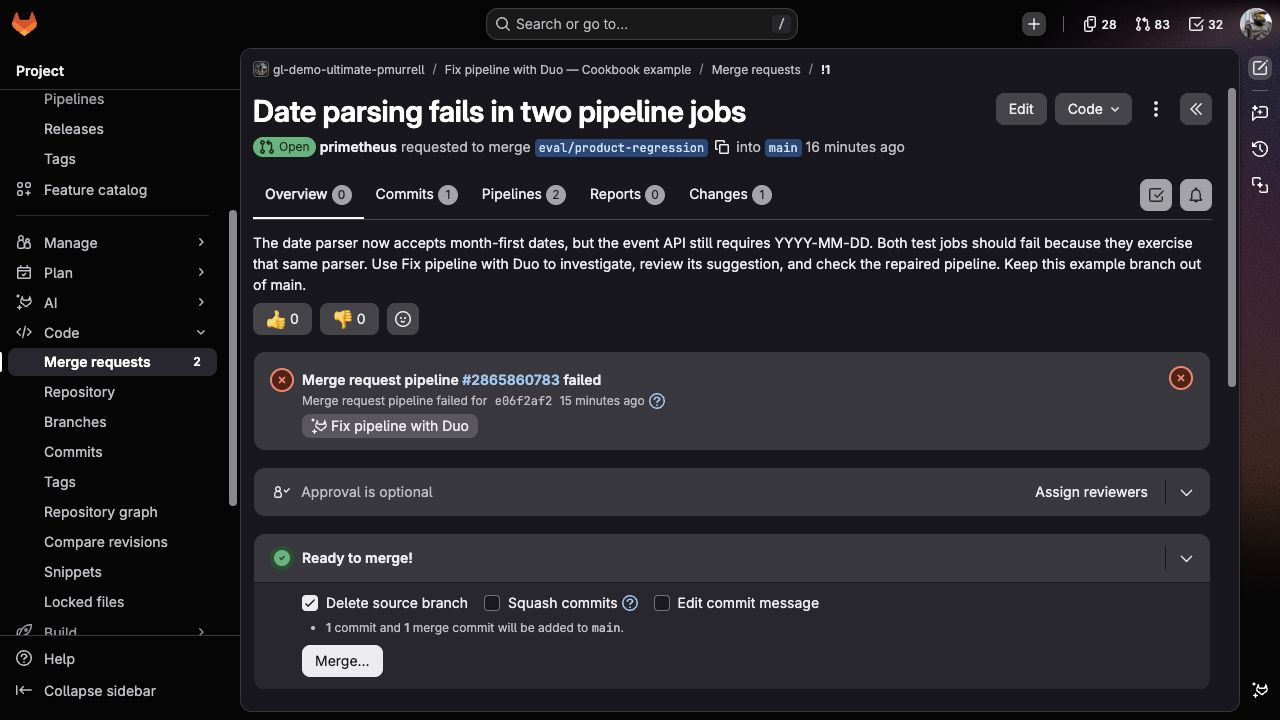
Follow the Session link in the activity feed if you'd like to watch the investigation. You don't need to approve a custom plan or paste a prompt; the button starts GitLab's built-in flow.
3. Review and apply the suggestion
When the Session finishes, return to the merge request. In the example, Duo links both failures to the date format and proposes one line in src/date_parser.py:
-    return datetime.strptime(value, "%m-%d-%Y").date()
+    return datetime.strptime(value, "%Y-%m-%d").date()
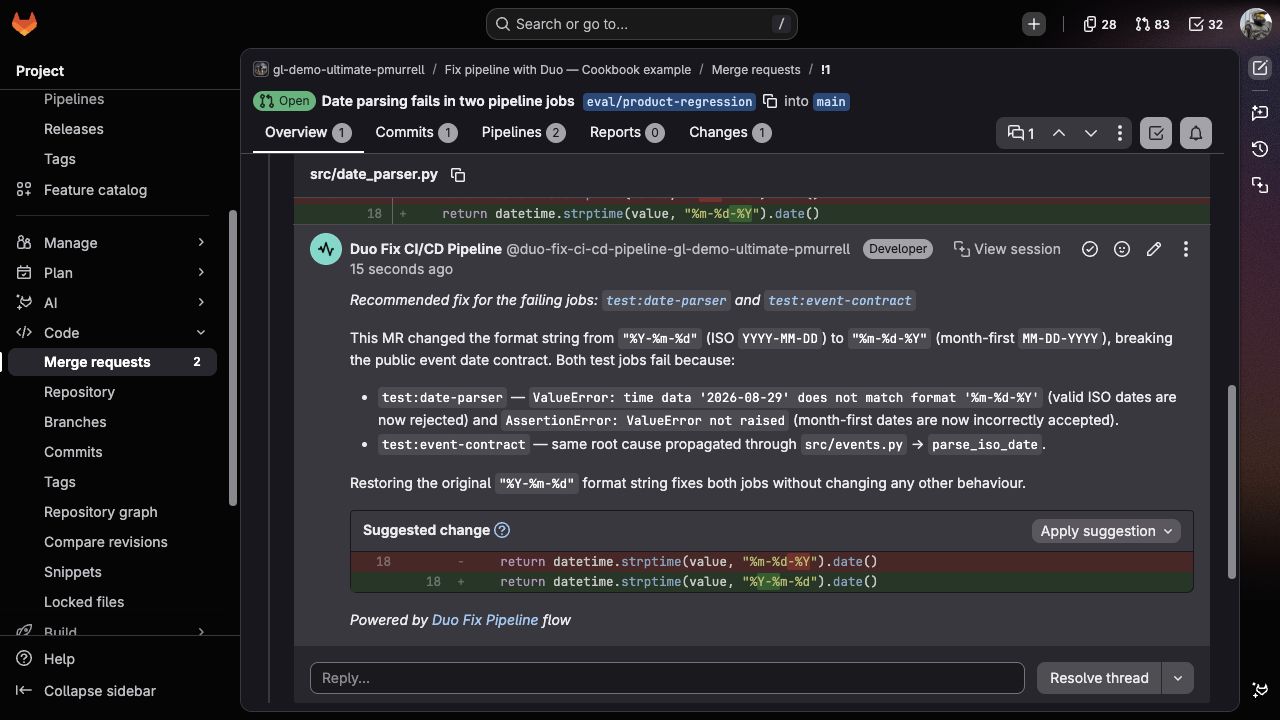
Check that your suggestion restores the format without changing the tests or skipping a job. If it instead teaches the application to accept month-first dates, leave it unapplied: that's different behavior, not the repair we're after. Expected outputs gives a closer comparison.
Select Apply suggestion, review the commit message, then select Apply. GitLab adds the commit to the source branch and starts a new pipeline.
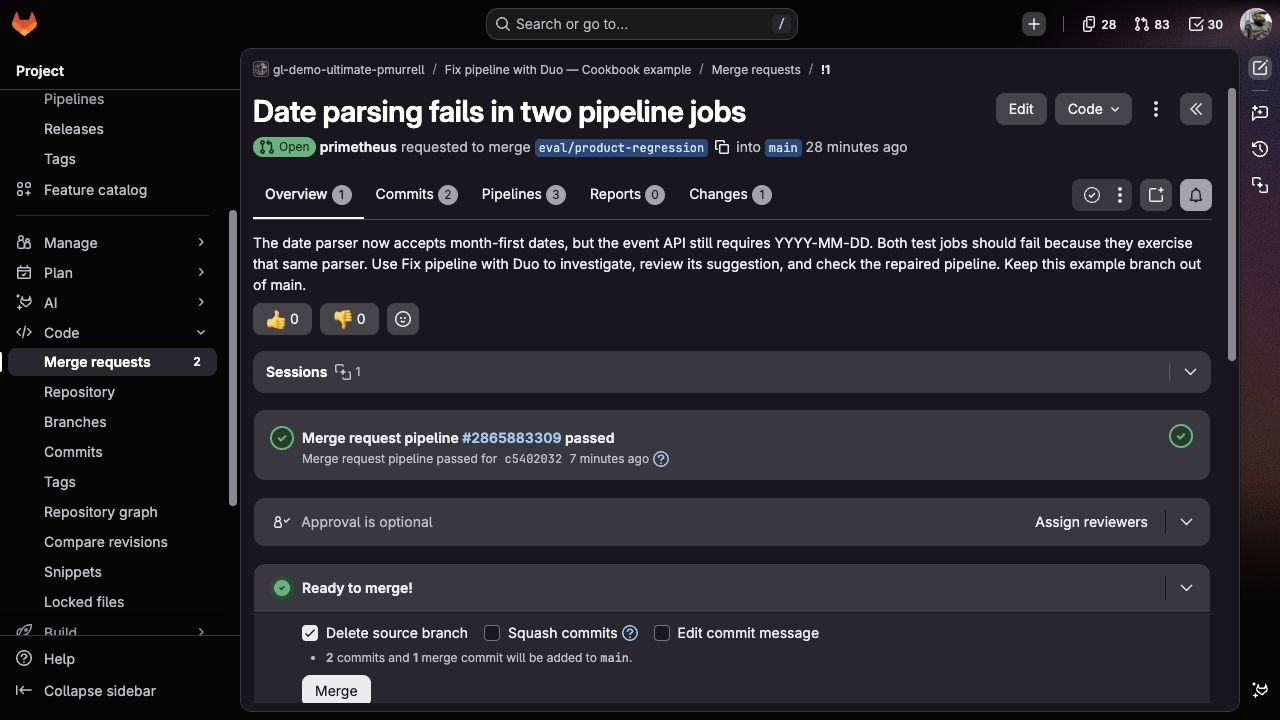
Open the new pipeline and confirm that both application jobs pass: two parser tests and one event test. Compare the applied commit with the suggestion; only the parser line should have changed. Keep the merge request open for comparison rather than merging the deliberate regression into the default branch.
4. Try a failure that needs a setting
Create eval/environment-configuration from the unchanged default branch. Replace README.md with the environment example, commit it, and open another merge request. Call it Environment readiness needs a project setting.
This branch name activates environment:readiness. Leave PIPELINE_RESCUE_ENVIRONMENT_READY unset for now. The application jobs should pass and the readiness job should fail with a message naming that variable.
Select Fix pipeline with Duo on this merge request. Compare the resulting comment with the failed job:
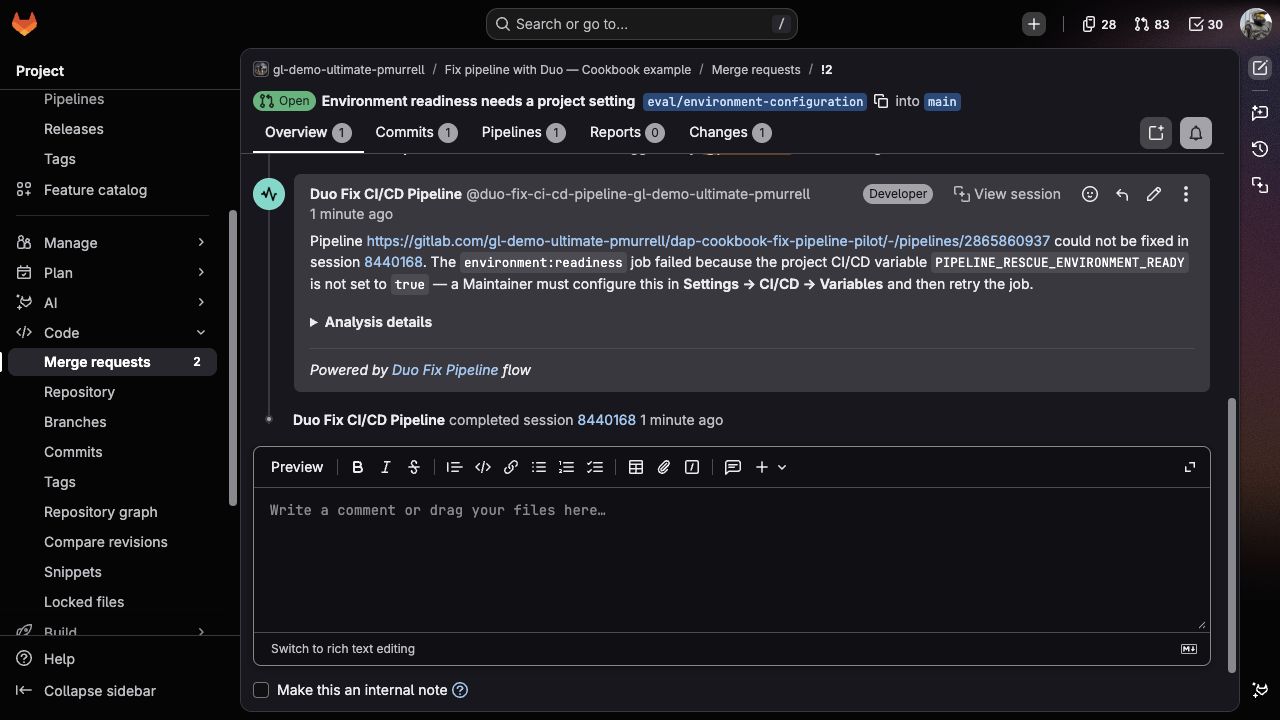
The useful result names the setting and the next action, without a code change. Open Analysis details if you want the explanation behind it. Check that the merge request still contains only your README change and that Duo hasn't created another repair merge request.
5. Follow the diagnosis through recovery
The practice project isn't connected to a deployment environment; this non-secret flag lets you exercise the settings fix. In a real project, the responsible team would first confirm that the environment is ready.
- Open Settings > CI/CD and expand Variables.
- Under Project variables, select Add variable.
- Set Key to
PIPELINE_RESCUE_ENVIRONMENT_READYand Value totrue. - Choose Visible and clear Protect variable for this non-secret practice flag, so the unprotected example branch can read it. Leave the environment scope as All (default).
- Select Add variable, then return to the failed
environment:readinessjob and select Retry in its sidebar. Use Toggle sidebar if the job details are hidden.
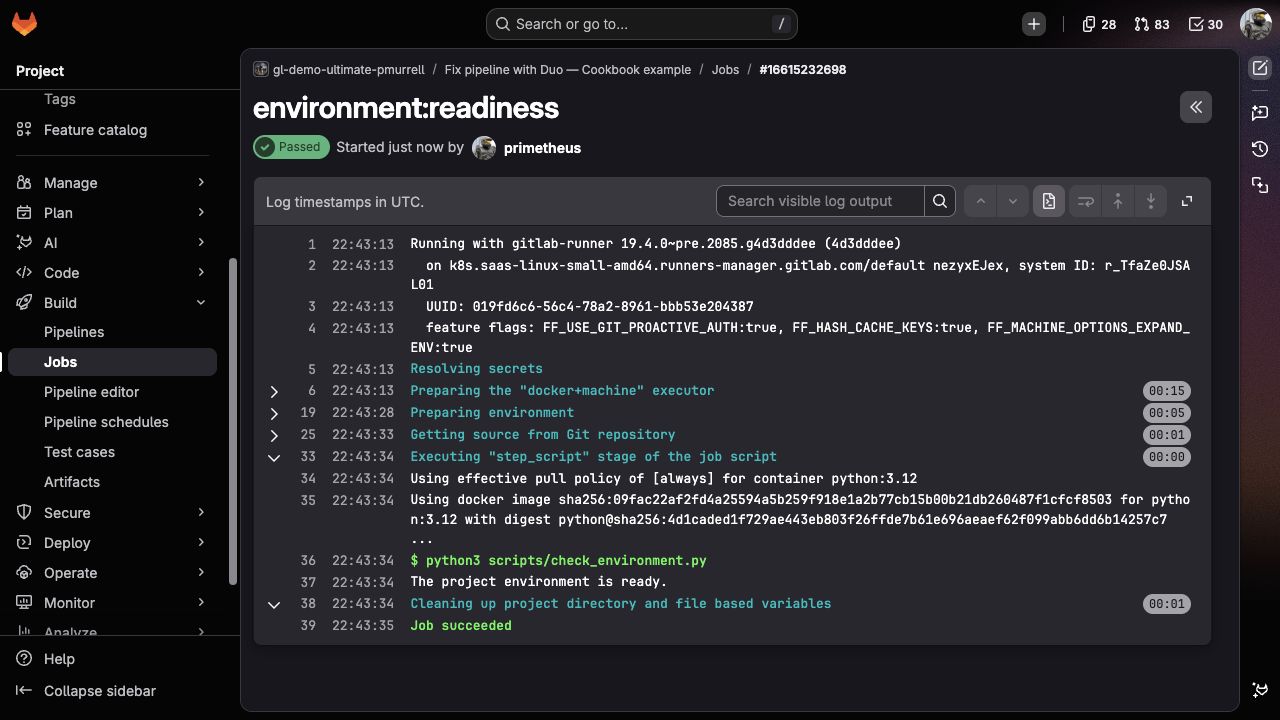
The job should now print The project environment is ready. and pass on the same commit. You changed a project setting, not the application or its tests.
Bring the comparison to your own project
Choose a familiar code failure and a failure that needs another action. Describe the relevant test commands and ownership in AGENTS.md, then compare Duo's explanation, proposed changes, and actual CI results. A useful answer may be a small repair or clear directions for someone with the right access.
When changing those instructions or trying another model configuration, repeat the cases from fresh branches. The evaluation record helps you compare what improved without requiring identical wording from each run.
